
Your meeting is at 3.
Start with your library.
Published by Agent AI Workshop, a Useful Tools LLC resource. Example and source standards.
Turn your agency’s current facts, past presentations and brand rules into a tailored meeting draft. Keep the useful material ready before the next invitation arrives.
Build once. Brief the meeting. Generate a draft. Review before presenting.
Your material. Your look.
A meeting-specific draft.
Four polished slides for Pine Example Renovations, a fictional remodeling business. The text and diagrams are editable. Click a slide to inspect it.
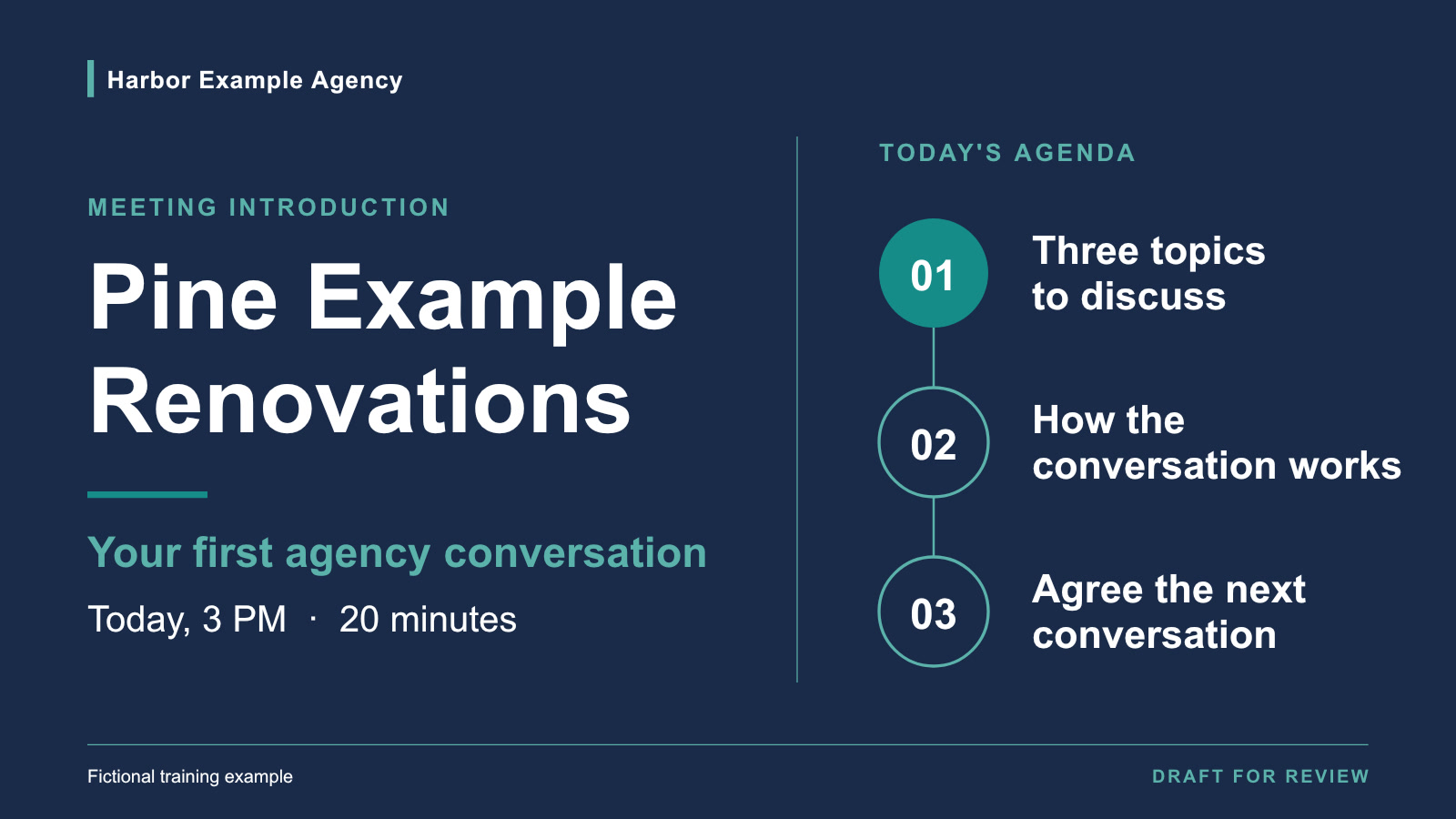
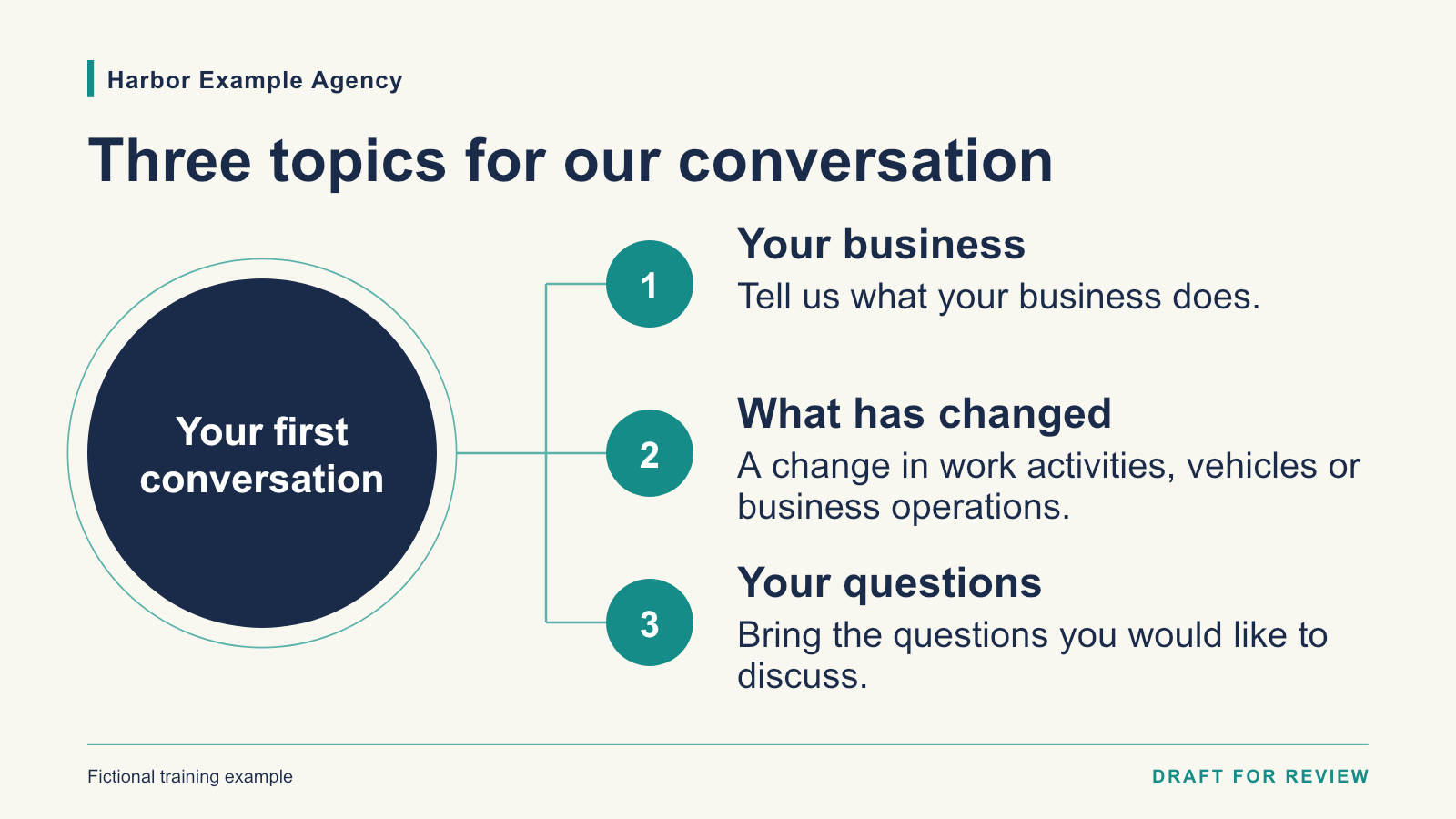
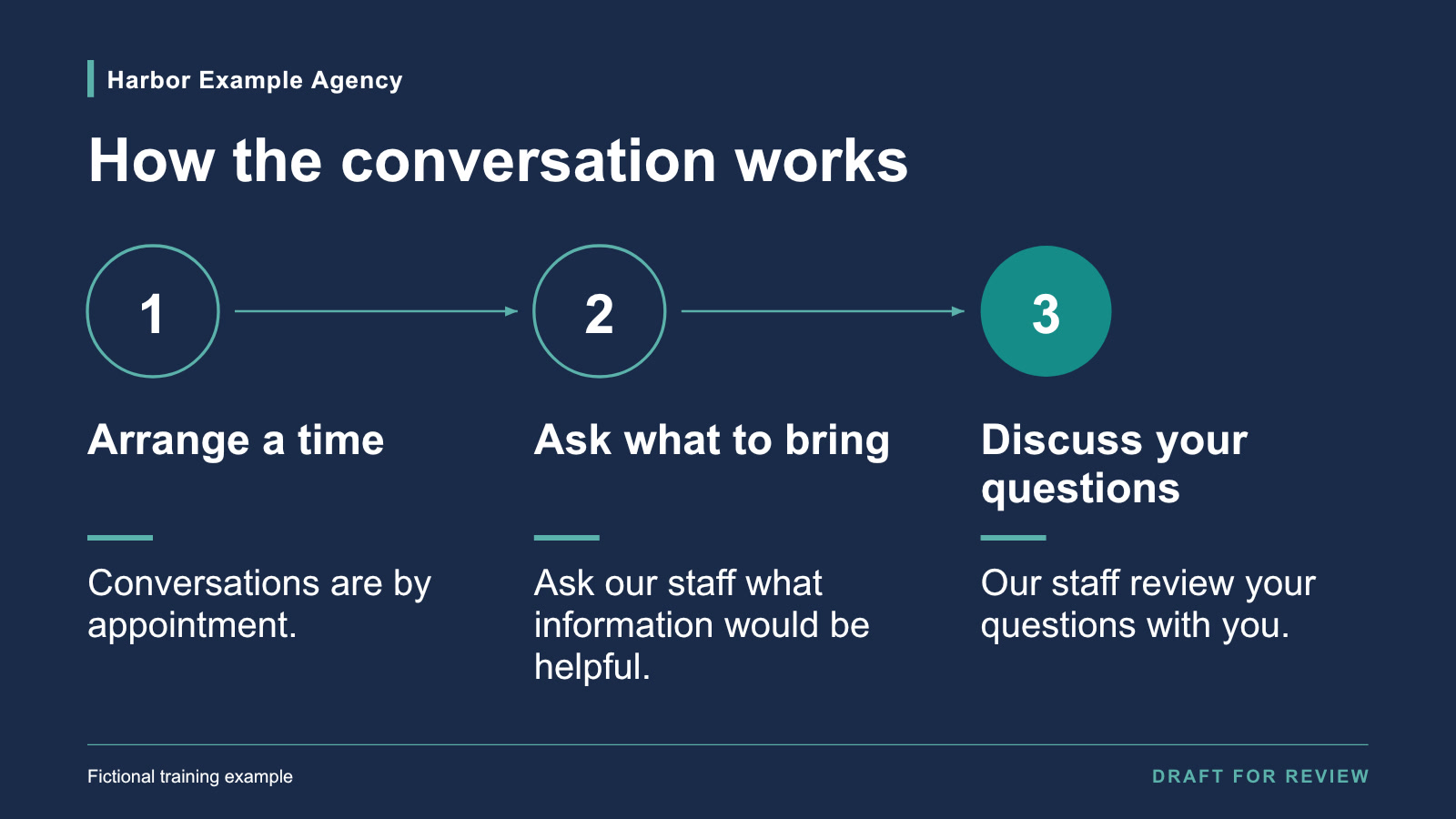
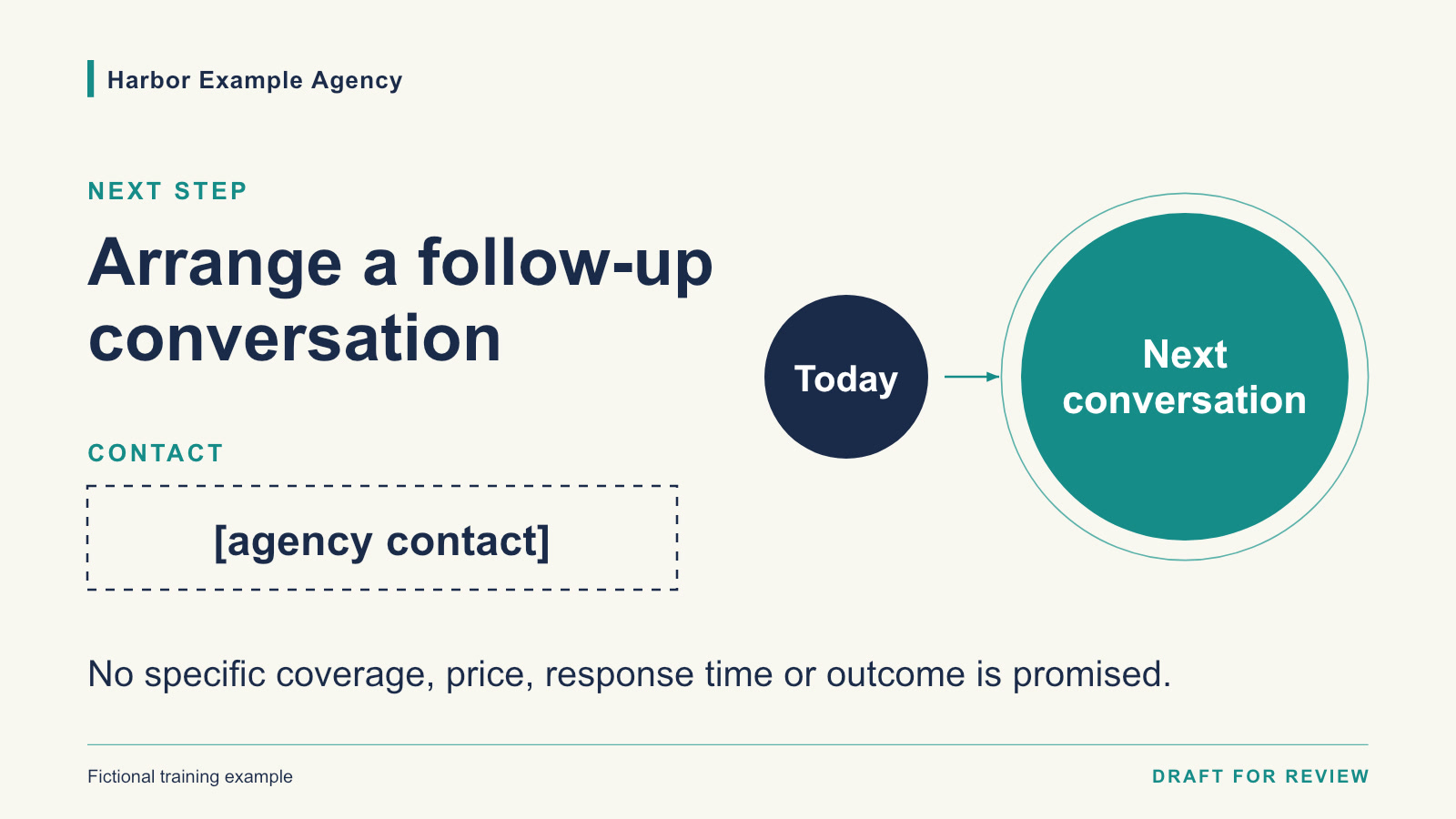
Actual Claude-generated output, refined in the same project. All agency and customer details are fictional; “approved” source labels apply only to this exercise. The sample remains a draft for review. Rendered and checked, but not opened in Microsoft PowerPoint.
Current facts + brand rules
Audience + priorities
Editable slides + source list
Words + notes + layout
What you need
An agency-approved Claude account with Projects and file creation available, a presentation editor for review, and material you are permitted to upload. This example uploads source copies; it does not connect your drive or CRM. Menus, workspace controls and usage limits vary.
Try it in three steps.
Build your source library once
In an agency-approved Claude account, open Projects → New project. In the demonstrated interface, choose Library → Add → Upload files. Upload the five files from fictional-agency-library in the practice kit. They include agency facts, a brand/layout guide, customer handout copy, an internal battle card and a prior PowerPoint. Use Set project instructions for the supplied project-instructions.txt. Keep the originals in approved agency storage.
Add the meeting brief and prompt
Start a chat inside that project. Paste the fictional meeting brief and the reusable prompt below, or use the complete demo prompt for the exact four-slide exercise. The brief identifies the audience, meeting purpose, priorities, length and desired next step. Ask for an actual editable .pptx plus a separate source/review checklist. A real brief should contain only details your agency permits you to process.
Check the draft, then tailor it
Download the PowerPoint and review checklist. Compare slide text and speaker notes with the source files, remove internal coaching, check placeholders and open it in your presentation editor. To improve the design, use the included refinement prompt in the same project. The polished example above is the actual result of that second pass, not a guaranteed first response.
Copy the reusable meeting prompt
Use inside the project after adding your source library. Replace the three brackets with your meeting brief.
Using our current agency marketing library, create an editable four-slide PowerPoint for [audience]. Focus on [priorities] and end with [next step]. Reuse relevant approved wording, our palette and an approved layout. Keep internal battle cards out of the customer deck. Do not invent claims, coverage, savings or customer facts. Add speaker notes. Separately list used sources, new wording and missing details for review. Return the actual .pptx file.
Download reusable prompt ↓Use the exact fictional demonstration prompt
This includes the complete Pine Example Renovations brief and the four-slide outline. Use it after uploading all five source files. New runs can produce different wording and designs.
Use the project marketing library to create a branded, infographic-heavy four-slide PowerPoint for the fictional meeting brief below. Use the current agency overview, contractor handout, brand/layout guide and past agency introduction. Consult the internal battlecard only to select topics; keep all internal coaching out of the customer-facing deck. Use only approved client-facing wording, adapted for relevance without introducing coverage or savings claims. Make editable diagrams, not screenshots, and include brief speaker notes. Use the supplied wordmark, palette and approved layouts A/C. Put the fictional customer name on the cover. Leave [agency contact] as a placeholder.

FICTIONAL MEETING BRIEF
Customer: Pine Example Renovations, a fictional residential remodeling business.
Audience: the business owner. First introduction, 20 minutes, today at 3 PM.
Focus: understand how an agency review conversation works, explain business changes they could raise, and agree on a next conversation.
Tone: clear, practical, no jargon. Use approved design A/C and the agency palette.
Desired output: four editable slides with brief speaker notes, plus a SEPARATE review/source checklist. Do not include internal battlecard text on customer slides. No real client details. Do not infer actual insurance needs, coverage, eligibility or suitability.

Slides: 1. Meeting cover with a simple visual agenda. 2. Three discussion topics shown as a clear editable diagram based on the approved handout. 3. How the agency conversation works, a three-step process. 4. Agree the next conversation and [agency contact]. Label every slide Fictional training example. Return the actual downloadable file Pine_Example_Meeting_DRAFT.pptx and a separate Review_and_Sources.txt listing source filenames, any new wording and missing information. Do not include that internal checklist as a customer-facing slide. No web research, external images, installations, connectors, public sharing or account changes. Use your built-in file tools and existing packages.
Download this prompt ↓
Set the reusable project instructions
Paste these into Set project instructions. They guide drafting; they do not replace actual access controls or guarantee that internal text cannot appear in an output.
Use only this fictional agency marketing library for source facts and approved design options. Prefer current client-facing sources. Treat the internal battlecard as preparation context only and never put it or its private coaching in customer-facing slides. Reuse current approved language and follow the palette/layout rules. Customer briefs guide relevance and order, not new insurance facts or promises. Flag missing or conflicting information; do not invent facts, customer details, coverage, savings, testimonials, credentials or contact details. Produce editable PPTX files, with diagrams made from native shapes. Separately identify used sources and review flags. Every result remains a draft requiring human review. Do not browse, install, connect tools, publish, change sharing or change account settings.Download this prompt ↓
Give the first draft a design upgrade
This is the second request used to create the polished sample shown above. It preserves the source facts and asks for clearer editable diagrams, typography and spacing.
Revise the fictional Pine Example Renovations deck using the same five project-library sources and the same approved facts. The client requests a much stronger, polished example that demonstrates the quality of a branded agency presentation. Preserve four slides and speaker notes, all fictional labels, placeholders and factual boundaries. Do not introduce claims, credentials, real contact details, coverage advice or results.


ART DIRECTION: editorial business presentation, 16:9. Palette exactly navy #1B2A49, teal #168B88, muted teal #5BB1AB, warm white #FAF8F2, white. Arial. Deliberate large typography, generous spacing, consistent agency wordmark and discreet exercise footer. Avoid a collection of rounded UI cards and dense small text. Use elegant native EDITABLE diagrams, not screenshots. No decorative drawings, stock photos, outside downloads or external connections.


Slide 1: a premium navy cover with Pine Example Renovations large on the left, Harbor Example Agency wordmark above, meeting context and 3 PM below. On the right, an editable oversized visual agenda with three clearly numbered stages, connected and aligned, based on the already approved agenda. Make the composition feel designed, with a strong hierarchy, not evenly spaced default boxes.

Slide 2: warm-white editorial layout. Title Three topics for our conversation. One large editable radial/branch diagram for Your business, What has changed, Your questions, using the exact approved handout explanations. Clear visual grouping, large typography and concise copy. No made-up insurance recommendations.

Slide 3: an elegant process across a navy canvas. Three large numbered steps, continuous thin connectors, clear labels and one short existing source explanation per step. Keep approved wording: arrange a time, ask what to bring, discuss your questions. Make content easy to present and visually distinct from slide 2.

Slide 4: warm-white close, a clear next-conversation visual with generous whitespace, one concise approved next step and [agency contact] visibly left as a placeholder. No promised coverage, price, response time or outcome. Retain Fictional training example and DRAFT FOR REVIEW on every slide. Keep internal battlecard coaching out of all slides and notes.


Create the ACTUAL editable PowerPoint as Pine_Example_Meeting_POLISHED.pptx. Also produce Review_and_Sources_POLISHED.txt with sources, any newly written headings/phrases, unresolved placeholders and checks. Render and inspect all four slides, fix clipping/overlap before delivering. Do not publish, change sharing, install packages or connect accounts.
Download this prompt ↓
The complete fictional practice kit.
Get the five library inputs, meeting brief, project instructions, both meeting prompts, design-refinement prompt, polished PowerPoint, source checklist and written guide.
14 files in the ZIP. Unzip it first. Upload only the five files in fictional-agency-library as the source library; keep the output and source checklist separate.
Download individual inputs and review files
The five source-library files
- Current agency facts ↓
- Palette, fonts and layout options ↓
- Customer-facing handout copy ↓
- Internal meeting preparation ↓
- Previous editable PowerPoint ↓
Meeting brief and output review
The three additional prompts are also available in the expandable sections above.
One review before the meeting.
Compare every slide and speaker note with the source files. Check new wording, customer details, contact placeholders and layout. Keep internal coaching out of the customer deck. Approved inputs do not automatically approve an AI-generated presentation.
Use only permitted information. A prompt is not a permission boundary; where material needs different access, keep it in a separate appropriately controlled workspace. Keep dated originals outside the AI platform and replace uploaded copies when source material changes.
Optional improvements and tool limits
Casual User: ask for a change to one slide only. Power User: keep a dated source list with an owner and two approved designs, then test the same fictional brief after updates.
Same-day preparation is the example scenario, not a measured time-saving or deadline guarantee. No automatic sync, CRM update, sharing change or customer communication is demonstrated. The source checklist is an AI draft aid, not an approval or certification.
Official Claude Projects setup ↗ · Official file-creation help ↗. Product instructions checked October 24, 2026. The actual interface shown uses Library → Add → Upload files; provider instructions and labels can differ.
Read the full video transcript
Your contractor meeting is at three. The agency has good material, but it’s scattered across folders and old presentations.
Build one reusable marketing library in your agency-approved AI. In this Claude example, open Projects, create a project, then use Library, Add, Upload files.
Include agency facts, past decks, current collateral, and internal battle cards. Add your palette, fonts, and approved slide layouts.
Now give it the meeting brief: who’s coming, what matters, and the next step you want. Use only customer details your agency permits.
Ask it to select relevant current material, follow an approved design, and create an editable PowerPoint. Internal coaching stays out of the customer slides.
Here’s the actual draft for our fictional remodeling company: their meeting agenda, discussion topics, and next steps, in the agency’s colors.
Check the wording, sources, and contact details before presenting. Keep the originals outside the AI, and refresh the library as materials change.
Prepare the library once. Tailor the next meeting from it. Full setup and prompt are in the first comment.
For general education only. Check AI output and follow your agency’s policies before using it. You are responsible for how you apply these ideas.
For general education only. Check AI output and follow your agency’s policies before using it. You are responsible for how you apply these ideas.